Property Rental Management System
A complete property management platform handling units, reservations, contracts, payments and maintenance — with a public booking website tenants and guests use to find and reserve available spaces.
Rental management that runs on paper runs behind
A property manager juggling unit availability, guest check-ins, lease renewals and payment follow-ups across spreadsheets and notebooks eventually loses track of something that costs money — a double-booking, a missed deposit, a maintenance request that fell between the cracks.
This system was built to run the entire rental operation from one screen: every property, unit, reservation and payment in a single admin panel.
Admin panel for the manager, booking site for the guest
Most property tools give you either a back-office or a booking page. This system does both — the admin panel and the public website share the same database, so a reservation made online appears in the manager's queue immediately, and a unit marked occupied is removed from availability on the website automatically.
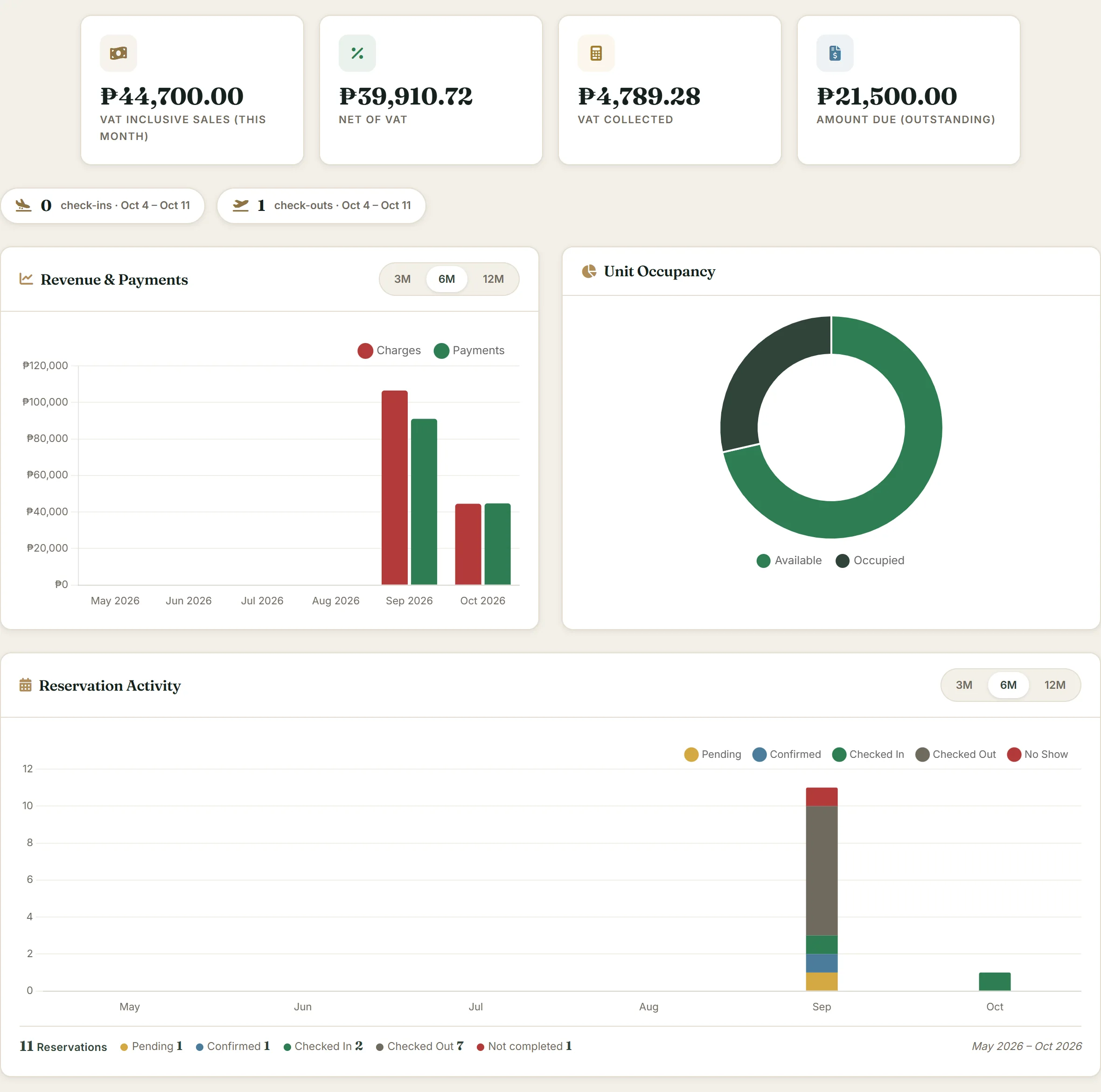
Admin — dashboard overview
Screenshot from the working system · sample data
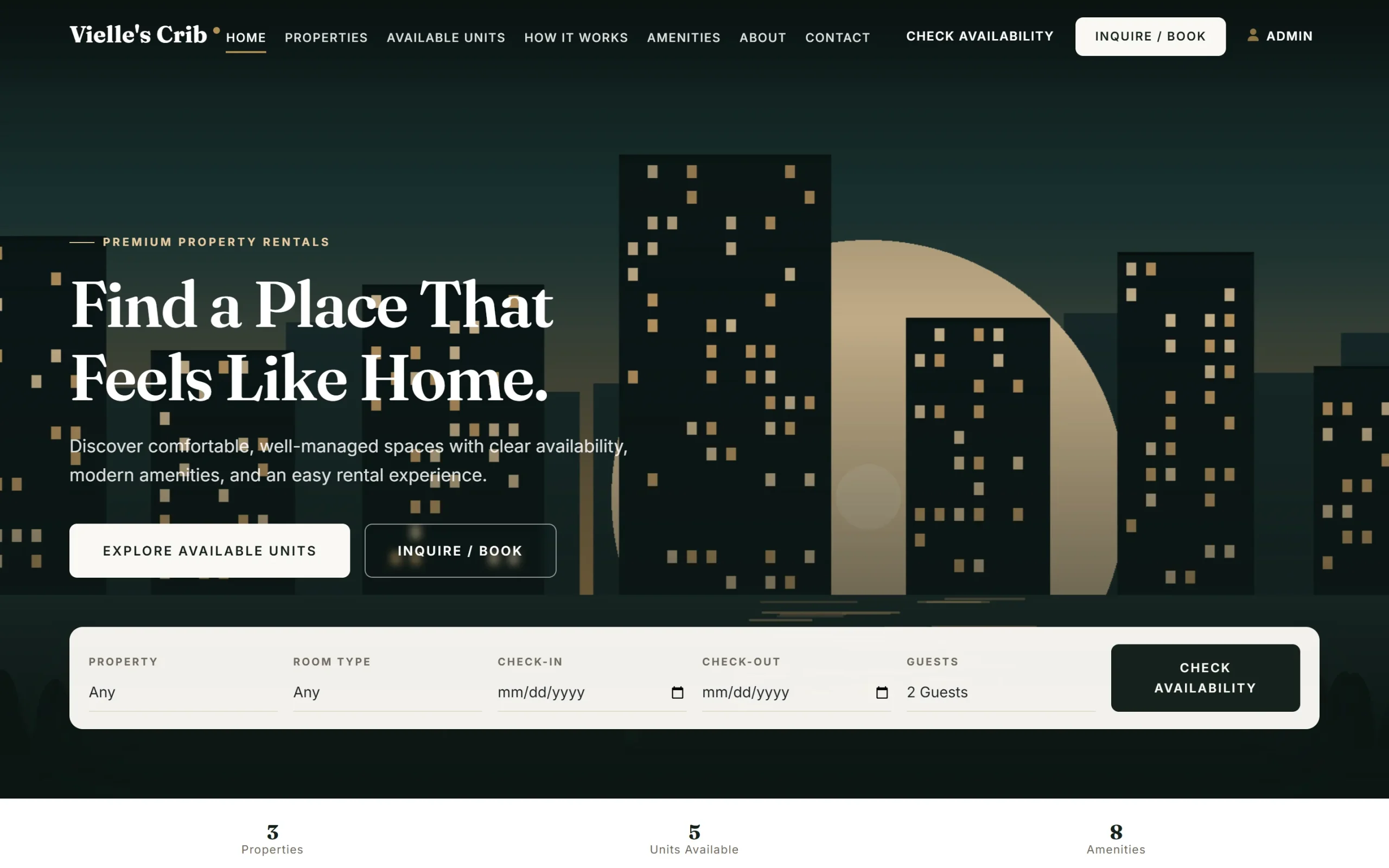
Public website — availability search
Screenshot from the working system · sample data
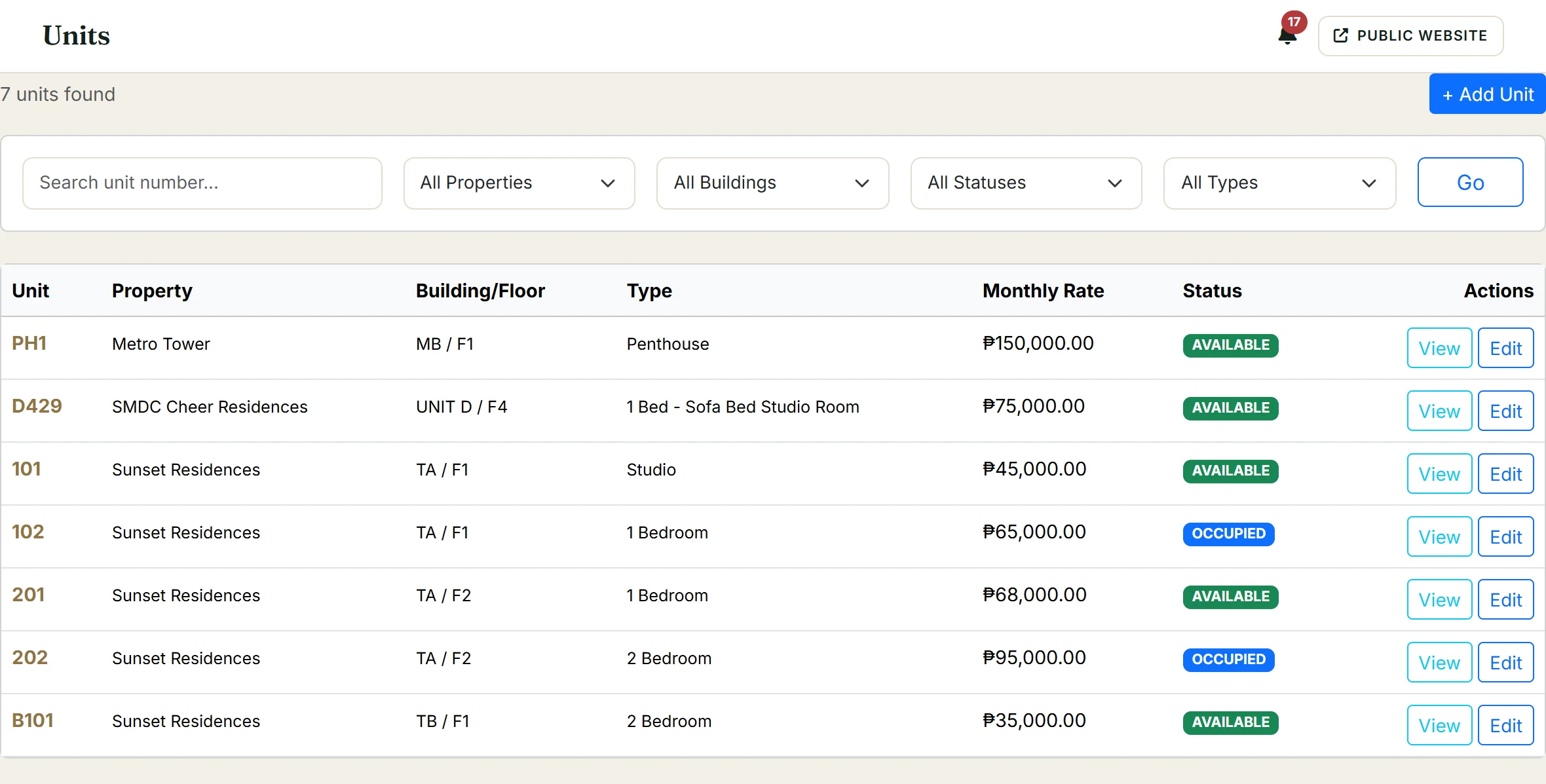
Units — rates and live status
Screenshot from the working system · sample data
Every unit in one view
Properties are organized by location with buildings and units nested underneath. Each unit carries its own type (Penthouse, Studio, 1BR, 2BR), amenities list (Wi-Fi, A/C, Kitchen, Parking, Balcony, Pool, Gym), guest capacity and monthly rate.
Unit status updates automatically — when a guest checks in, the unit moves from available to occupied. When they check out, it's released. The property list shows the breakdown at a glance — in the sample data, 3 properties across Makati, Bulacan and Manila, with rates from ₱35,000 to ₱150,000 per month.
From inquiry to signed lease
Reservations follow a clear lifecycle — Pending, Confirmed, Checked In, Checked Out — with No Show and Cancelled states for the exceptions. Each reservation links to a specific unit, customer and date range.
For longer stays, a reservation converts into a rental contract with its own lifecycle: Draft, Active, Expired, Closed, Cancelled. Contracts track the lease term, monthly rate, security deposit and payment schedule.
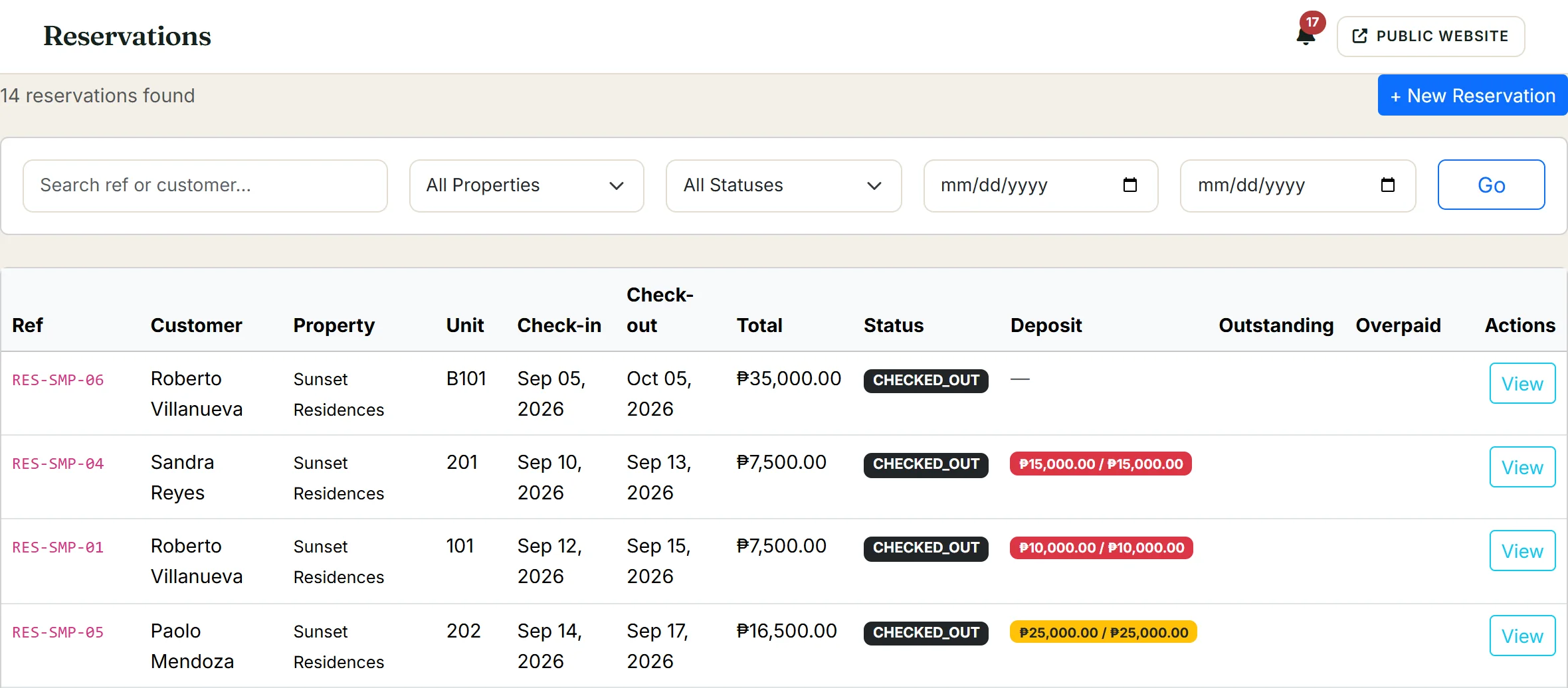
Reservations — status and deposits
Screenshot from the working system · sample data
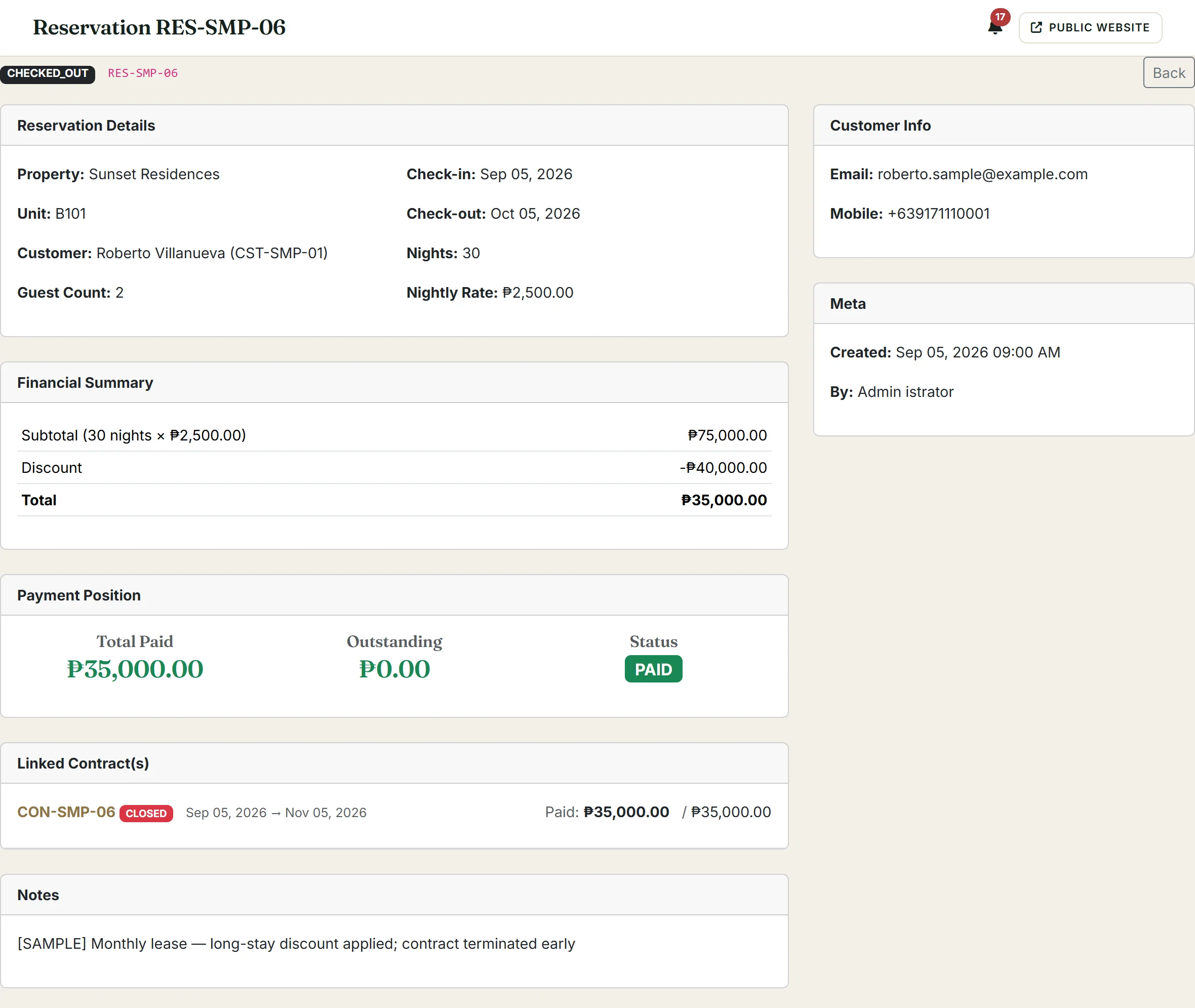
Reservation — charges, payment, linked contract
Screenshot from the working system · sample data
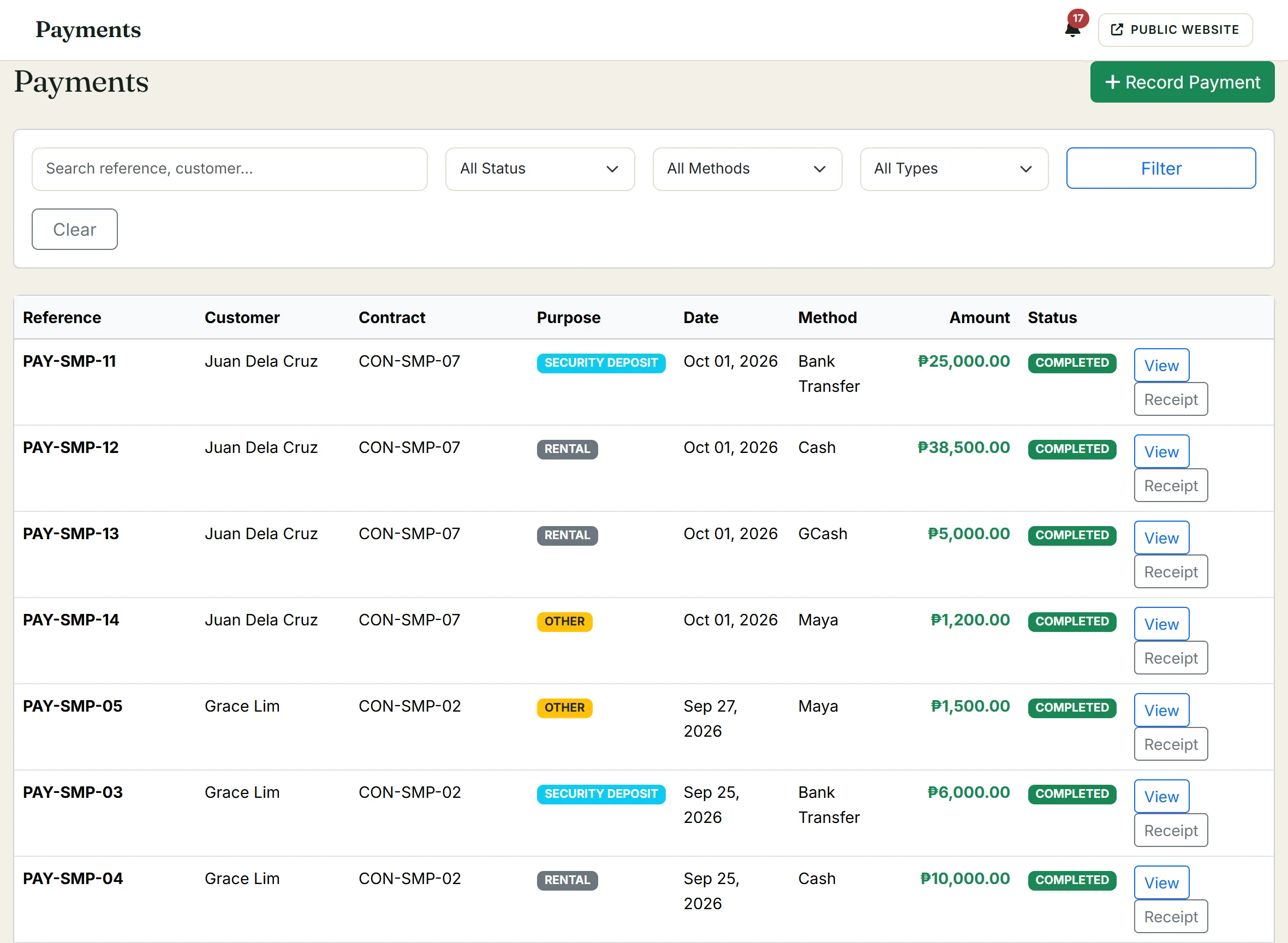
Payments — purpose, method and status
Screenshot from the working system · sample data
Collection, deposits and overdue tracking
The system tracks three payment types — rental payments, security deposits and other charges — across six methods: Cash, GCash, Maya, Bank Transfer, Credit Card and Cheque. Each payment is linked to its contract and recorded as Completed, Pending, Cancelled or Refunded.
Financial summaries show VAT-inclusive sales, net of VAT and VAT collected. Security deposits are tracked separately — held, unpaid or returned — so the manager always knows the deposit position. Overdue charges surface on the dashboard for follow-up, alongside property-level performance showing occupancy, 30-day revenue and outstanding balances. A report centre covers occupancy, reservation activity, revenue and collection, VAT, outstanding balances, expenses, maintenance, customers and contracts.
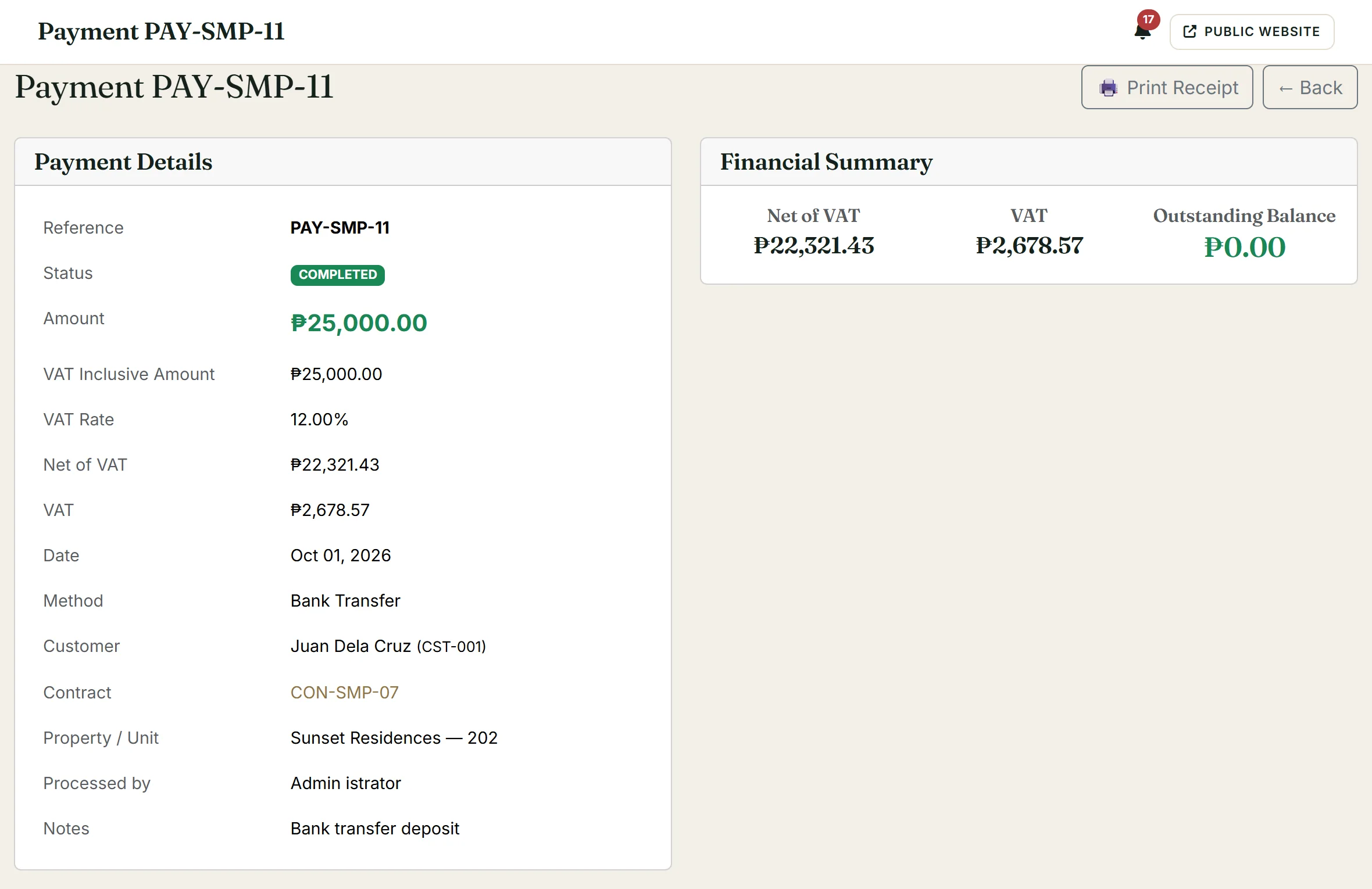
Payment record — VAT breakdown
Screenshot from the working system · sample data
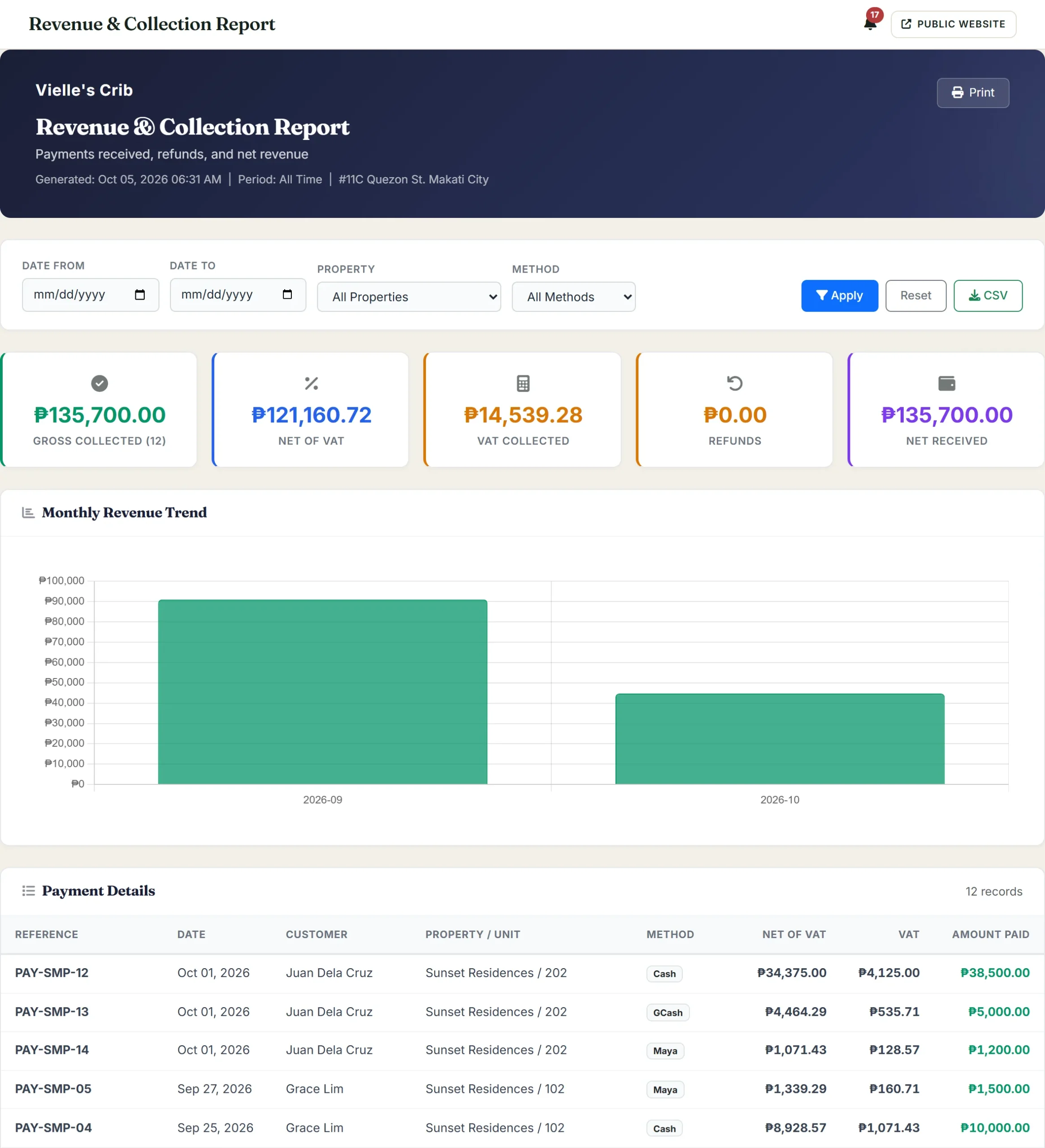
Revenue & collection report
Screenshot from the working system · sample data
Requests tracked, tenants connected
Maintenance requests are logged with a category (Plumbing, Electrical, Air Conditioning, Internet/Network, Cleaning and others), priority level, assigned staff and status — Open, Assigned, In Progress, On Hold, Completed or Cancelled. Each request links to the unit and property it affects, so the manager sees the maintenance load per property.
Customers are tracked with contact details, portal access status and a media library of photos used for unit listings on the public website. Customers can log into the portal to view their reservation history and account details.
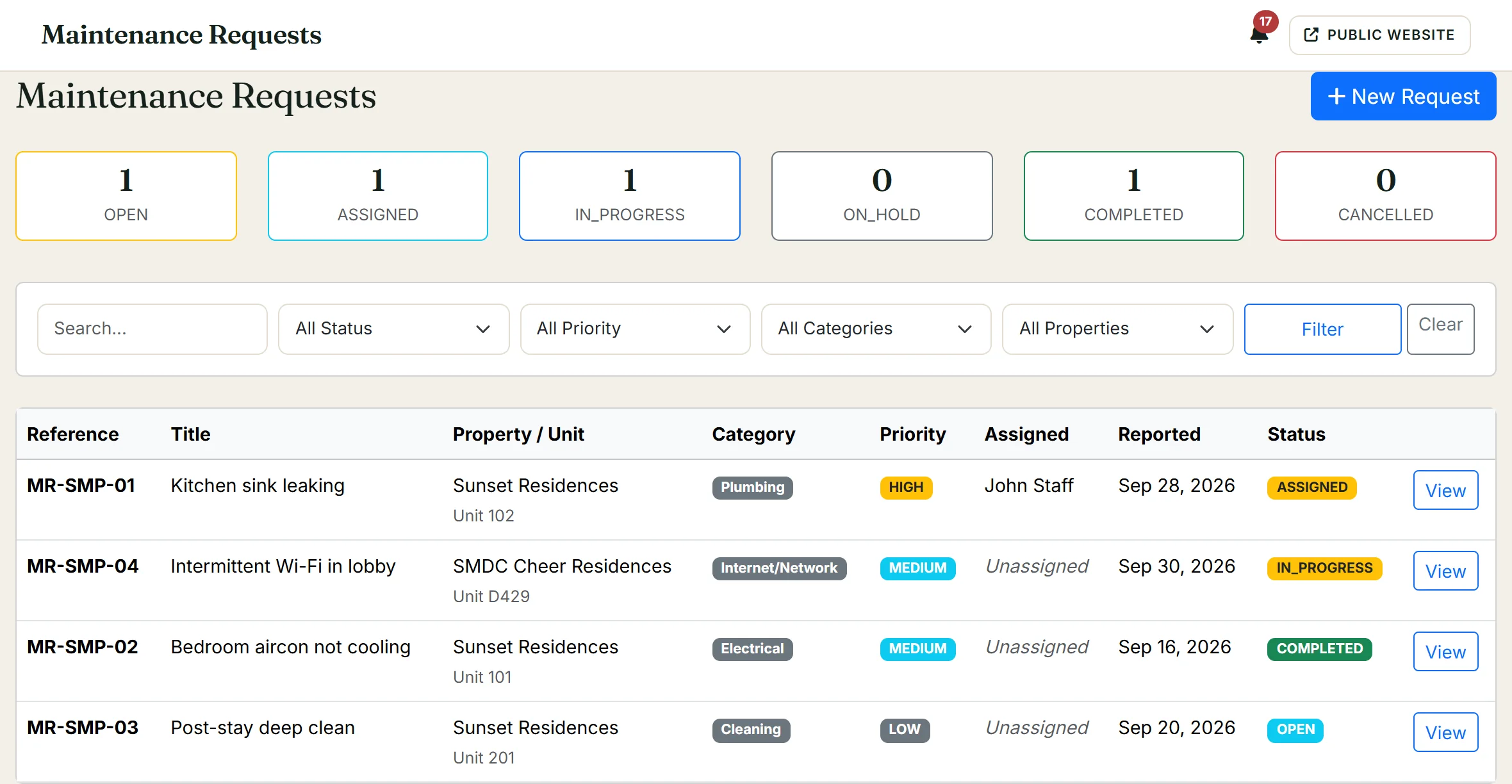
Maintenance — request queue
Screenshot from the working system · sample data
Property managers who need more than a spreadsheet and less than an enterprise platform
This system is shaped for operators managing a handful of properties — condominiums, apartments, short-term rentals — where the portfolio is large enough that tracking by hand is unreliable but not so large that an enterprise property management suite makes sense. If you manage units across multiple buildings, handle both short-stay reservations and long-term leases, and need tenants to be able to browse and book online, this is the kind of system that replaces the folder of spreadsheets and the WhatsApp thread.
Everything runs in the browser.
See how the system handles your portfolio
We can walk you through the live system — properties, reservations, contracts, financials — to show how it maps to your operation.