Sales & Inventory Management System
A complete retail operations system tracking the full cycle from product cataloging and purchasing through to sales, invoicing and payment collection — built for distributors and shops whose numbers need to match the shelves.
When the spreadsheet stops matching the shelf
A shop that tracks purchases in one file, sales in another and inventory in a third eventually runs into the same problem: the numbers disagree. A sale gets recorded but stock isn't decremented. A purchase arrives but the price list isn't updated. A customer pays partially and nobody remembers how much is still outstanding.
This system was built to close those gaps — one database, one set of numbers, every transaction linked to the products and customers it belongs to.
The entire operation at a glance
The dashboard shows today's sales, current inventory value and outstanding receivables as the first thing the administrator sees. Below are quick-access stat cards — total products, customer count, low-stock alerts and inventory valuation — followed by a sales trend chart that tracks amount due over time.
Charts for sales by category, top-selling products, payment methods and inventory status give a financial snapshot without leaving the landing screen.
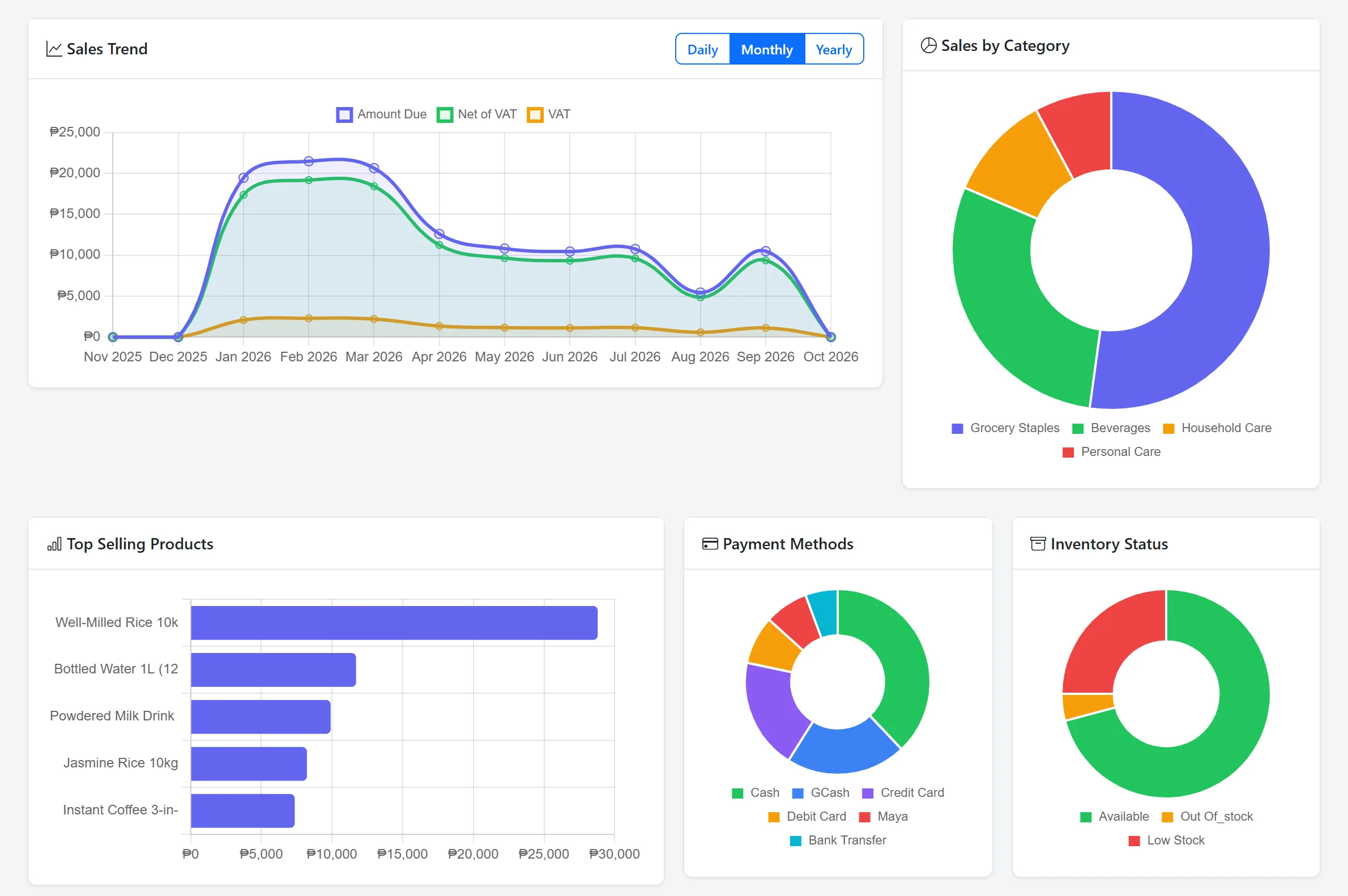
Dashboard — sales trend and breakdowns
Screenshot from the working system · sample data
From supplier to shelf to receipt
Every transaction in the system follows one connected chain. This is how the workflow maps from end to end.
Products & catalog
Products organized by category, with product codes, cost and selling prices, reorder levels and stock status. Each product is linked to its supplier. (The sample data uses 24 products across Grocery Staples, Beverages, Household Care and Personal Care.)
Purchasing
Purchase orders are created against suppliers with a multi-stage workflow — draft, posted, received, completed. Each purchase updates stock quantities automatically once received. Returns and cancellations are tracked.
Inventory control
Real-time stock view showing every product's quantity against its reorder point. Items flagged as low stock or out of stock appear in dashboard alerts. Manual stock adjustments are supported for corrections, damage or restocking.
Sales & invoicing
Sales are recorded with auto-generated invoice numbers (INV-YYYYMMDD-XXXX), linked to walk-in or named customers, assigned to a cashier, and tracked through paid, partial and unpaid states. Cancelled orders are marked without deleting the record.
Payment tracking
Each invoice tracks the total, discount, net of VAT, VAT amount and amount due. Partial payments are recorded incrementally, and outstanding balances surface on the dashboard for follow-up.
Reports & audit
Four report types — sales, purchasing, inventory and payments — each filterable by date range. Reports can be exported to CSV or sent to print. An audit log records user activity — logins and newly created records — with timestamp, user and IP address.
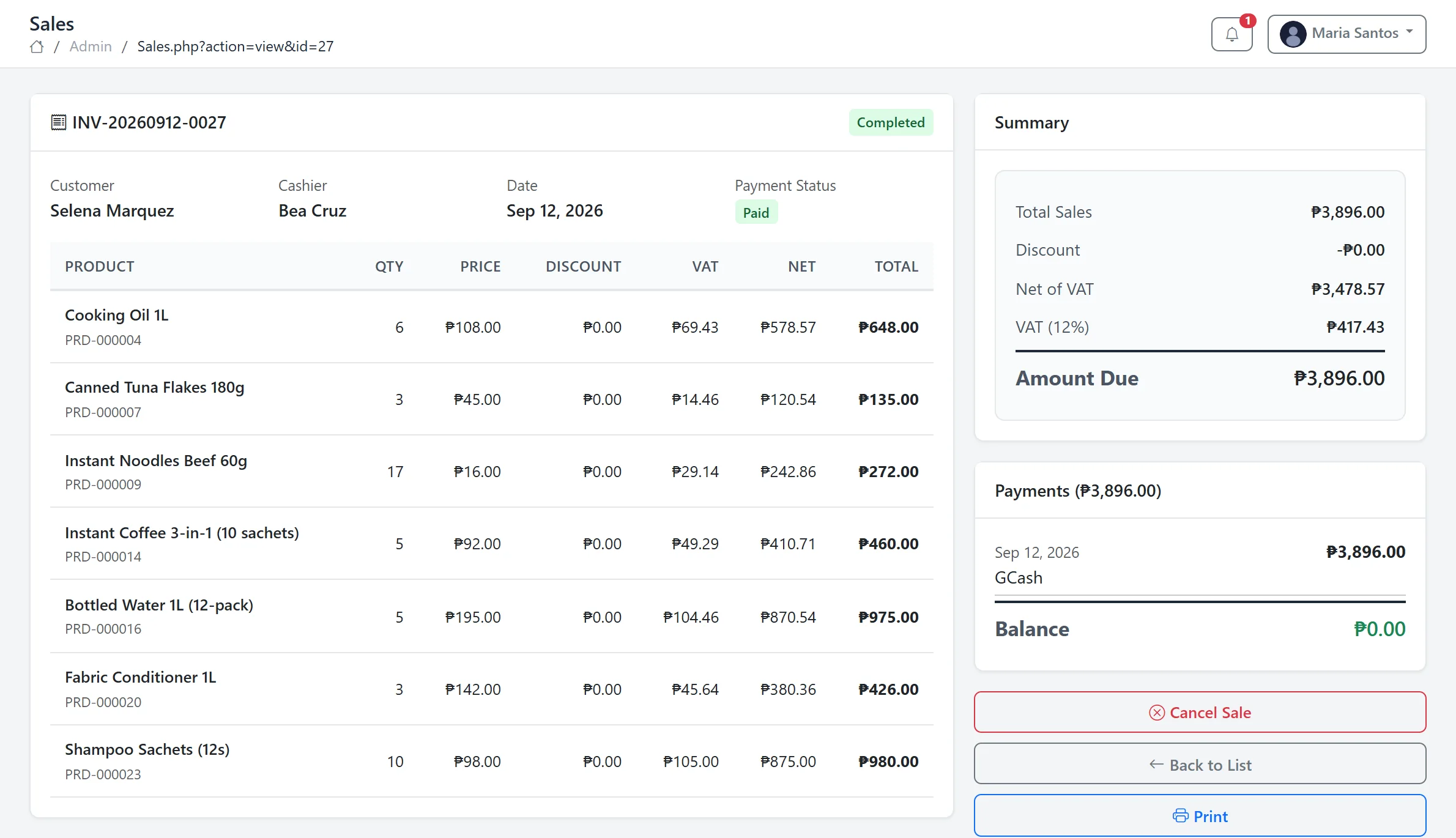
Sale invoice — line items, VAT, payment
Screenshot from the working system · sample data
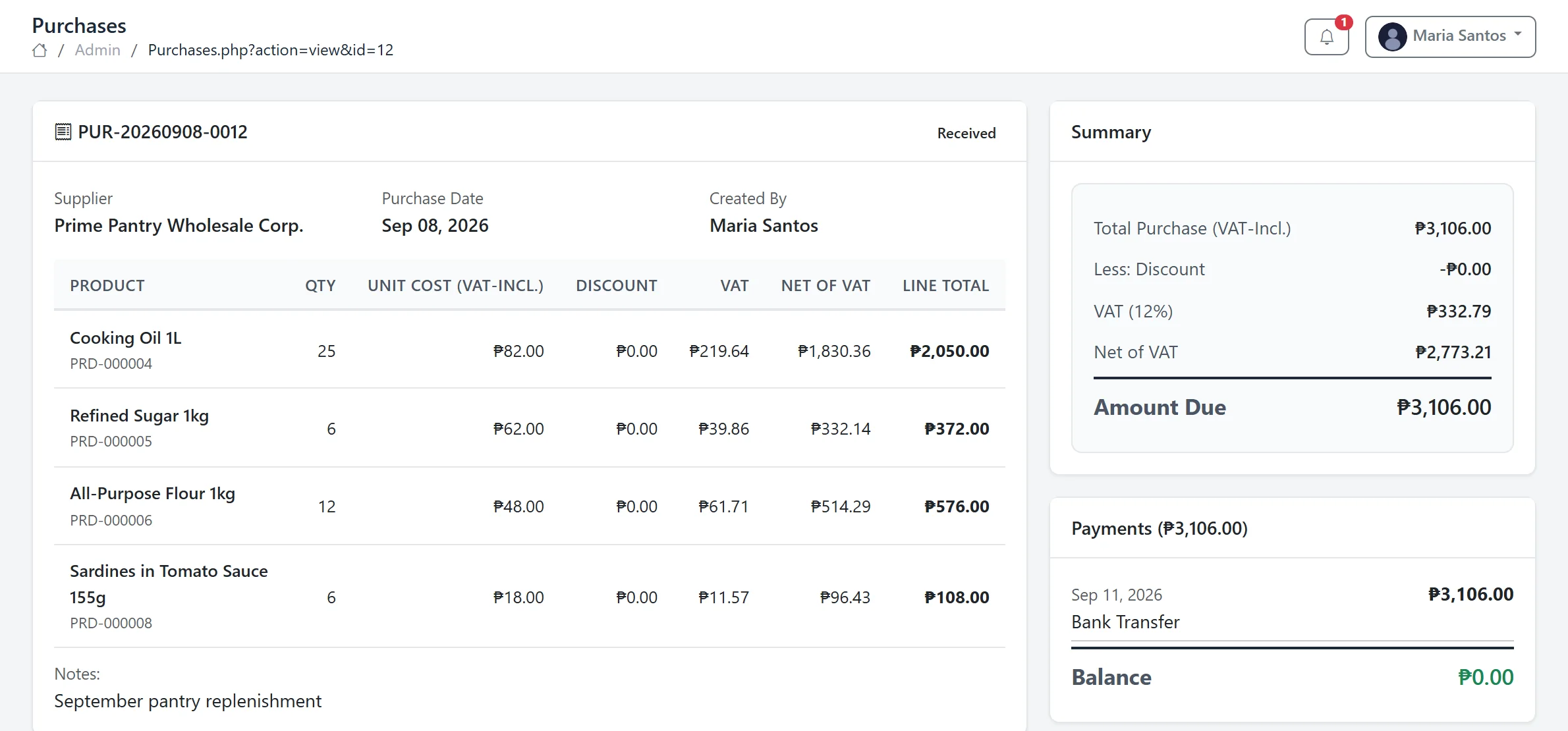
Purchase — supplier order and payment
Screenshot from the working system · sample data
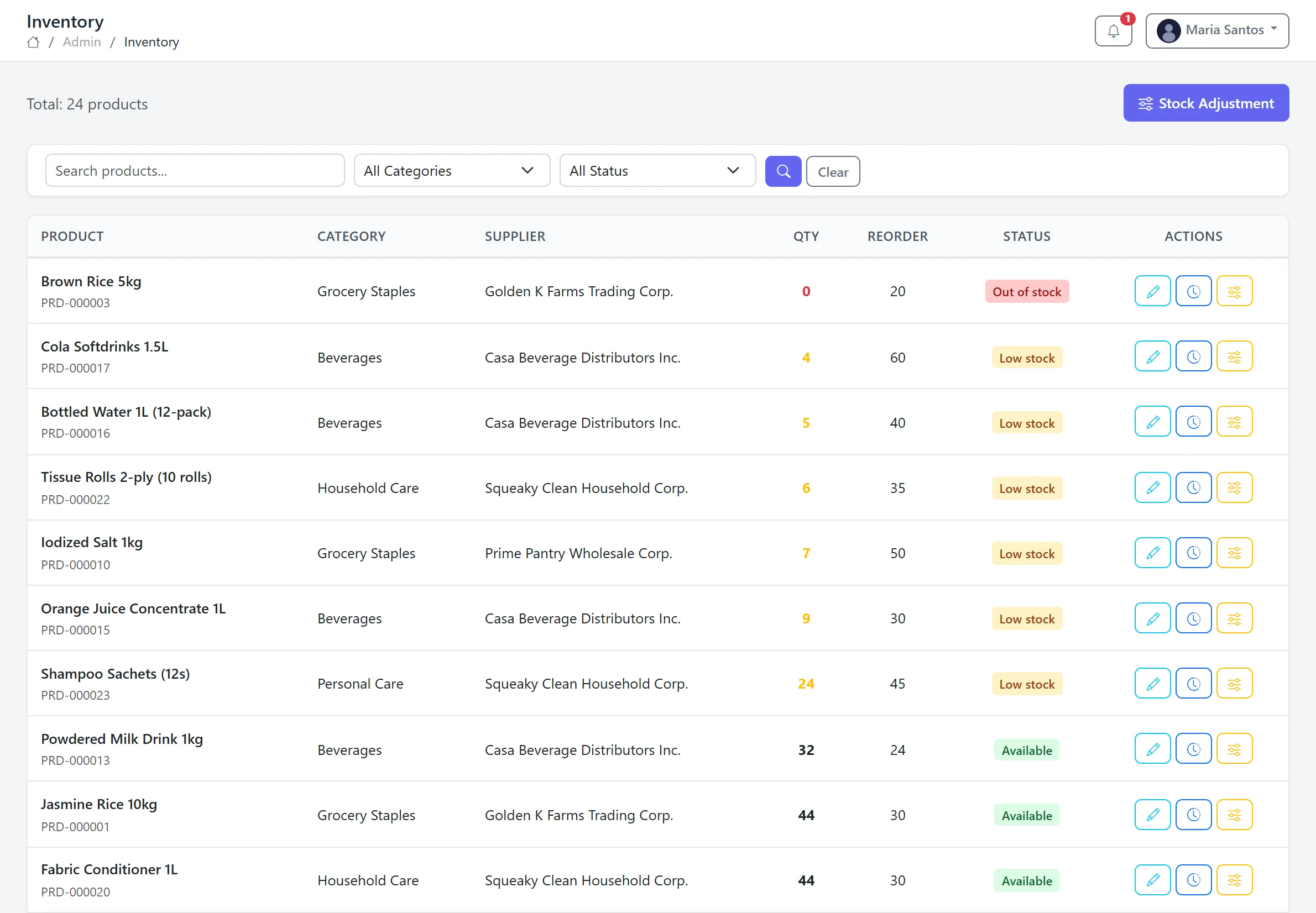
Inventory — stock against reorder levels
Screenshot from the working system · sample data
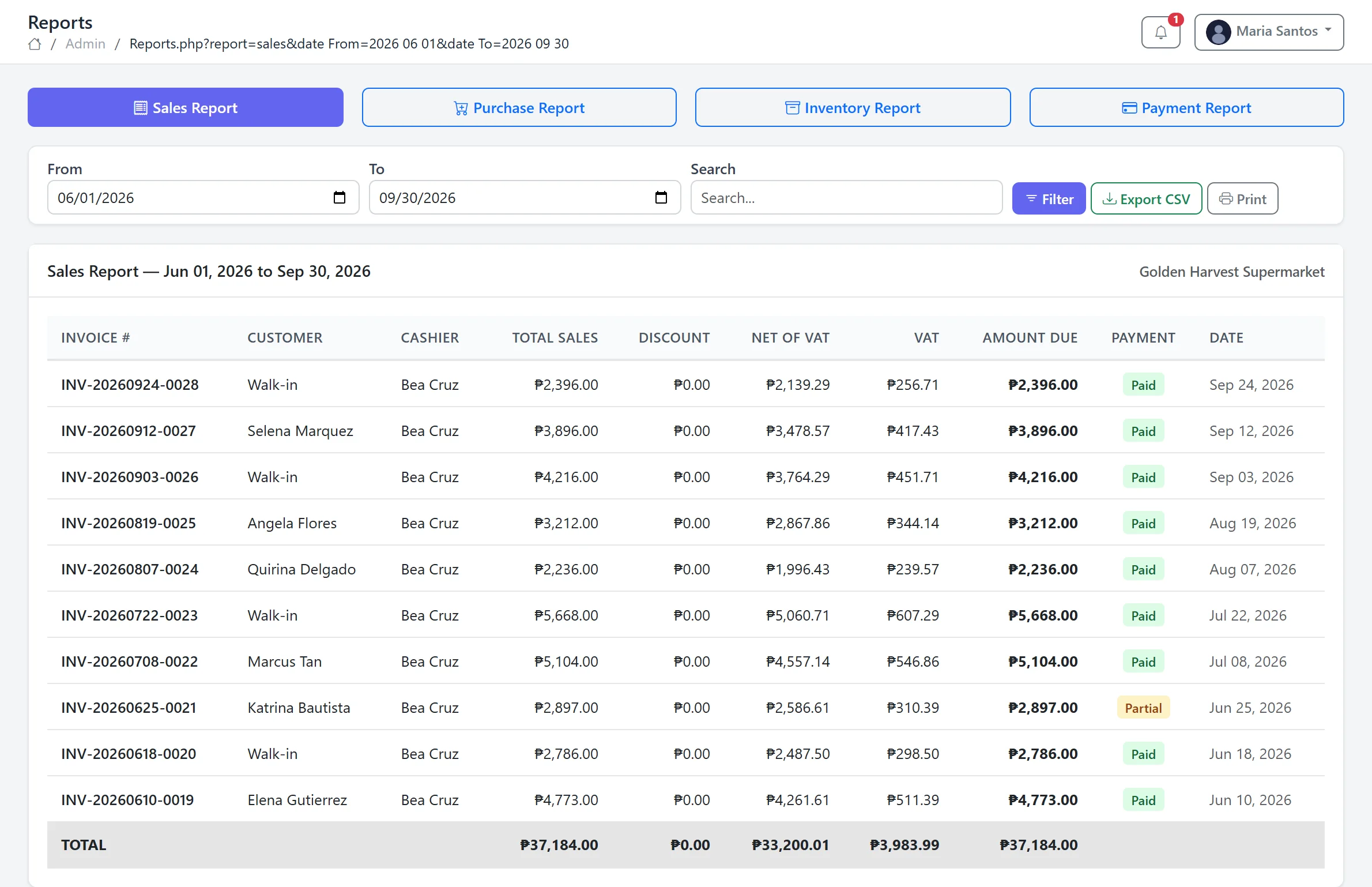
Sales report — by date range, CSV or print
Screenshot from the working system · sample data
Roles, customers and security
Two distinct user roles — Administrator and Cashier — each seeing only the modules they need. Administrators manage products, suppliers, reports and users. Cashiers handle point-of-sale transactions.
Customers are tracked with unique codes, contact details and purchase history. A customer portal provides self-service access. User activity is recorded in the audit log — logins and created records, with user and IP address — for accountability.
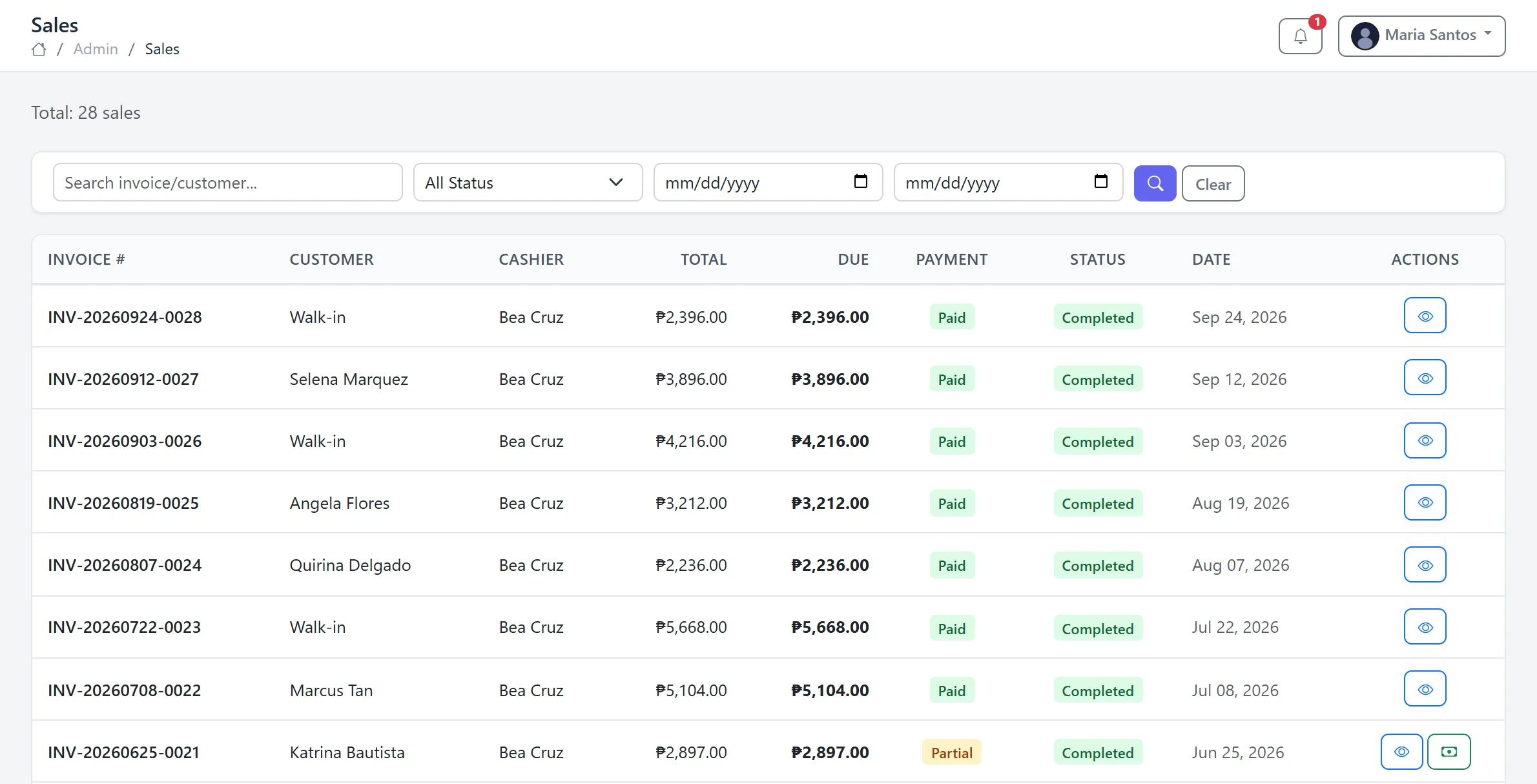
Sales — invoices by customer and cashier
Screenshot from the working system · sample data
Shops and distributors that outgrew their spreadsheet
This system fits operations where purchasing, stock and sales happen in the same business — groceries, general merchandise, wholesale distributors, small retail chains. If you track products with a cost and selling price, order from suppliers, sell to walk-in or account customers and need to know what's in stock at any moment, this is the shape of system that replaces the manual tracking.
The system runs in a browser — no installation on each workstation, no syncing issues between terminals. The administrator manages from one screen; cashiers process sales from another. Reports pull from the same data both roles enter.
Want to see it running?
We can walk you through the live system — products, transactions, reports — so you can see how the workflow fits an operation like yours.